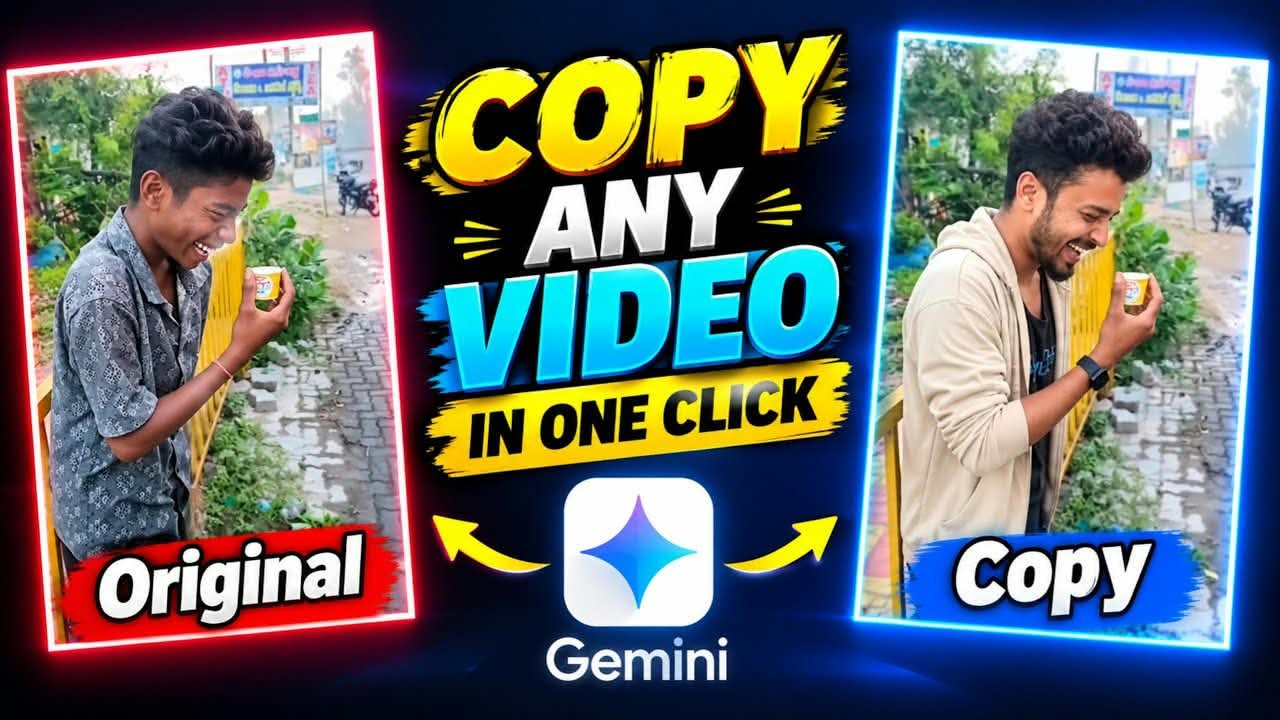
Artificial intelligence has transformed the way people create and edit digital videos, making advanced visual effects accessible to almost everyone. One of the most exciting AI-powered features is video face replacement, which allows users to replace the face of a character in an existing video with their own face. Instead of spending hours learning complicated editing techniques, users can simply upload a reference photo and a target video to an AI-powered face replacement tool. The technology analyzes facial features, expressions, angles, and movements to generate a result that looks naturally integrated into the original footage. Whether you want to recreate a famous movie scene, participate in a trending social media challenge, make funny videos with friends, or create personalized entertainment content, AI face replacement offers an easy and creative way to bring your ideas to life.
Choose Your Reference Photo and Target Video
The first step in replacing a character’s face with your own is selecting a suitable reference photograph and target video. Your reference image plays an important role in determining the quality of the final result, so it is recommended to use a clear, high-resolution photograph with good lighting and a visible face. Avoid images with heavy filters, sunglasses, face coverings, or extreme shadows because these elements can make facial recognition more difficult. Next, choose a video containing the character whose face you want to replace. The target footage should ideally have clear facial visibility, natural lighting, and limited motion blur. For the best experience, select a video with a relatively consistent camera angle and enough visible facial details. Before using someone else’s video or photograph, make sure you have the necessary permission and rights.
Use an AI Face Swap Tool to Replace the Character
After preparing your reference photo and target video, open a reliable AI-powered face swap platform or application that supports video face replacement. Upload your photograph as the source face and select the video containing the character you want to replace. The AI system processes the visual information frame by frame, identifies the original face, and generates a replacement using the facial characteristics from your reference image. Advanced tools can also analyze head movements, facial expressions, skin tones, and lighting conditions to make the replacement appear more realistic. Depending on the platform, you may have additional options to adjust facial alignment, improve image quality, or enhance the final output. Processing time can vary depending on video length, resolution, and the capabilities of the selected AI tool.
Boys Character Prompt
Use my uploaded reference image as the exact identity reference and replace the main male character in the provided reference video with me. Preserve my exact face, facial features, skin tone, hairstyle, beard, body shape, height, and overall appearance without changing my identity. Keep the exact clothes, outfit, shoes, and accessories from my uploaded reference image. Recreate the original video as closely as possible, including every action, body movement, walking style, hand gesture, facial expression, pose, timing, and camera angle. Keep the original video’s background, location, lighting, shadows, objects, camera movements, transitions, and visual effects unchanged. Make my character look naturally present in every frame with realistic body proportions, consistent facial identity, natural movements, and seamless lighting integration. Replace only the main male character while keeping all other people and elements unchanged. Avoid face distortion, identity changes, clothing changes, flickering, extra fin
Girls Character Prompt
Use my uploaded reference image as the exact identity reference and replace the main female character in the provided reference video with me. Preserve my exact face, facial features, eyes, nose, lips, skin tone, hairstyle, hair length, body shape, and overall physical appearance without changing my identity. Keep the exact clothes, outfit, shoes, and accessories from my uploaded reference image. Recreate the original video as closely as possible, including every action, body movement, walking style, hand gesture, facial expression, pose, timing, and camera angle. Keep the original video’s background, location, lighting, shadows, objects, camera movements, transitions, and visual effects unchanged. Make my character look naturally present in every frame with realistic body proportions, consistent facial identity, natural movements, and seamless lighting integration. Replace only the main female character while keeping all other people and elements unchanged. Avoid face distortion, identity changes, clothing c
Improve the Results with Additional Video Editing
Although AI technology can produce impressive face replacement results, additional editing can make your final video look more polished and professional. Once the AI processing is complete, preview the video carefully and check whether your replacement face remains consistent throughout the entire clip. Pay attention to facial expressions, head movements, skin tone, lighting, and transitions between frames. If you notice any visual inconsistencies, you can use a video editing application such as CapCut or another compatible editor to make further adjustments. You can also add background music, subtitles, sound effects, transitions, and creative elements to improve the overall presentation. For social media content, consider exporting the video in the appropriate aspect ratio, such as 9:16 for YouTube Shorts, Instagram Reels, and TikTok, while maintaining suitable video resolution and quality.
Creative Possibilities, Privacy, and Responsible AI Usage
AI-powered face replacement opens up countless creative possibilities for content creators, influencers, filmmakers, and everyday smartphone users. You can place yourself in fictional movie scenes, recreate entertaining moments, produce personalized comedy videos, and experiment with different storytelling concepts without requiring expensive production equipment. However, responsible usage is equally important when working with this technology. Always use your own photographs or images for which you have permission, and obtain consent before using another person’s face. Avoid creating misleading videos, impersonating individuals, spreading misinformation, or producing harmful content. Clearly disclose AI-generated or face-swapped material when viewers could otherwise mistake it for authentic footage. By combining suitable reference images, reliable AI tools, creative editing, and ethical practices, anyone can explore the exciting possibilities of replacing video characters with their own face using artificial intelligence.